
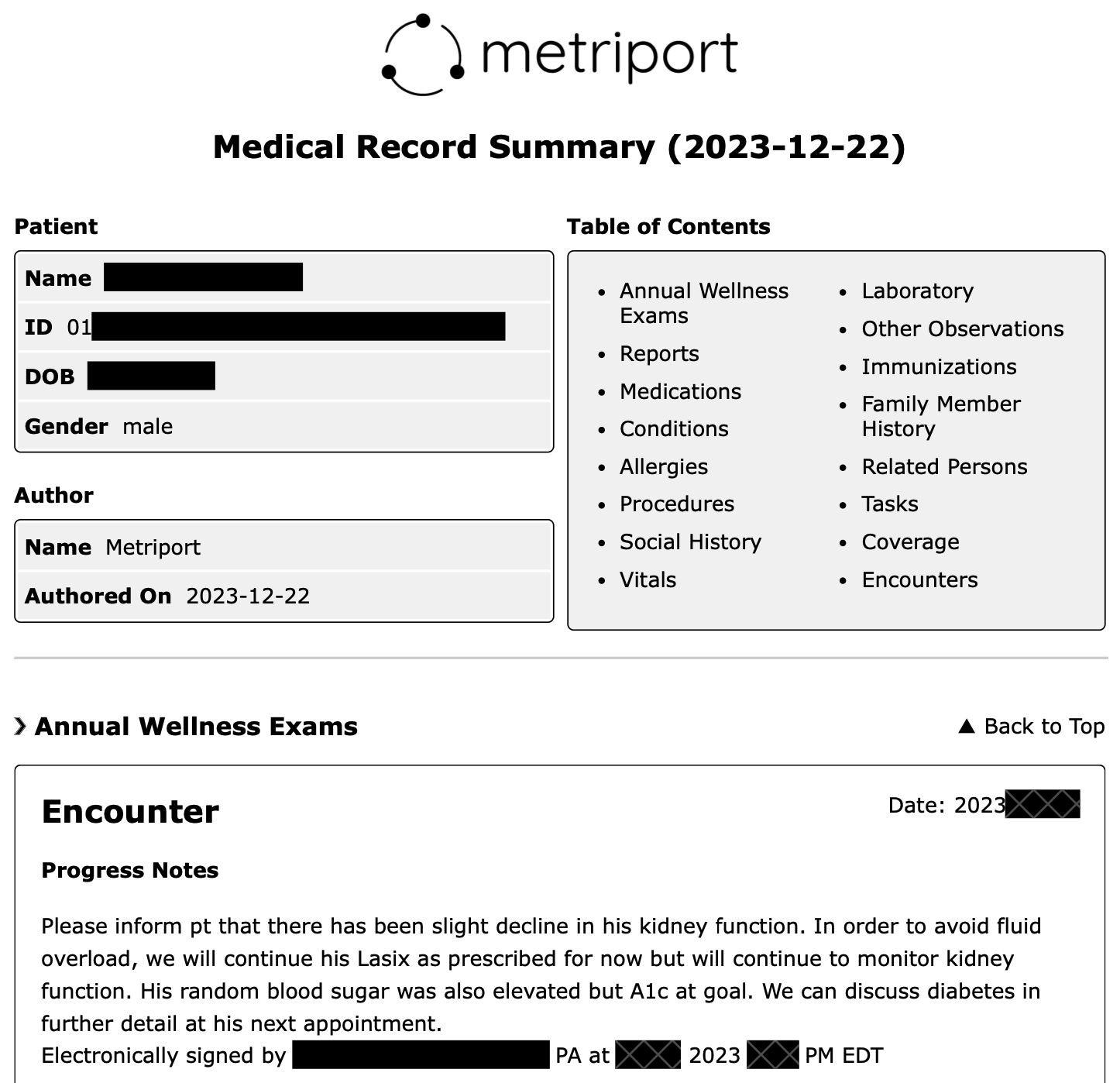
Generate using the API
To generate a Medical Record Summary using Metriport API:- Start a Consolidated Data Query.
This endpoint allows you to optionally choose FHIR resources, date
range, and rendering (
pdforhtml) for your Medical Record Summary. - When the file is rendered, a webhook message with a downloadable URL will be sent to you.
Generate using the Dashboard
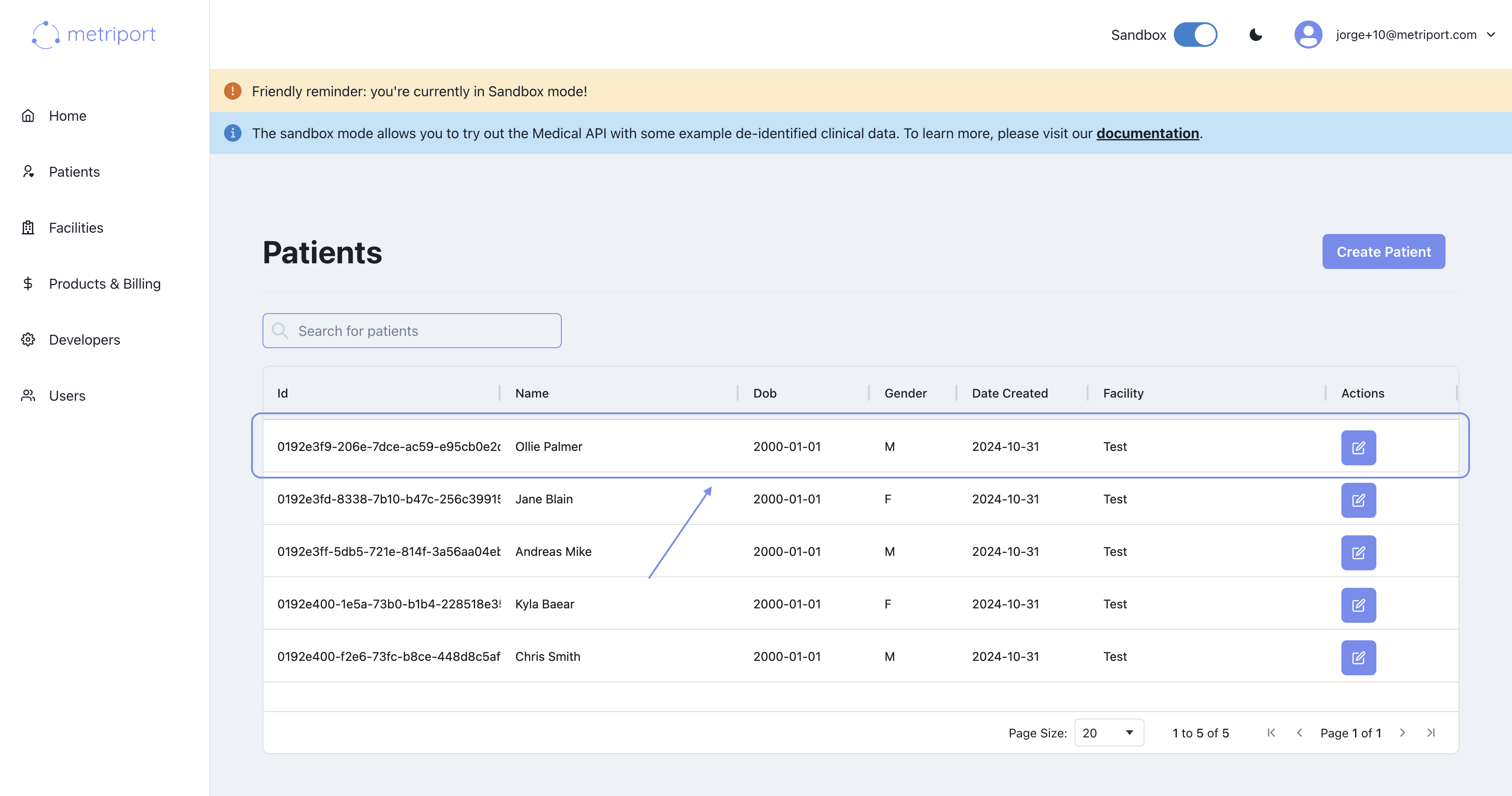
To generate a Medical Record Summary from the dashboard:- Navigate to the patient’s page by selecting a patient from the list:
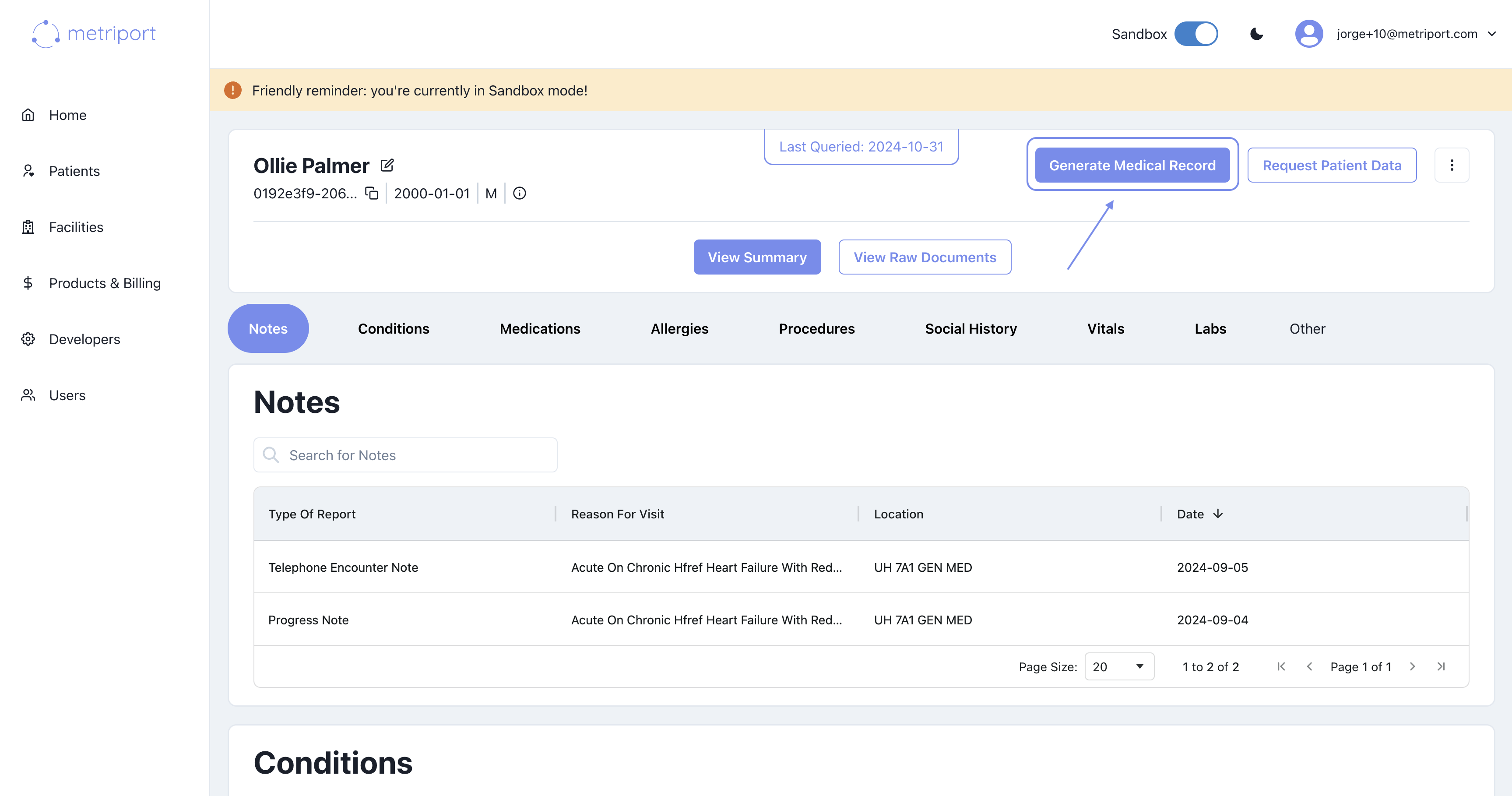
- Click on the “Generate Medical Record” button to view the Medical Record Summary modal:
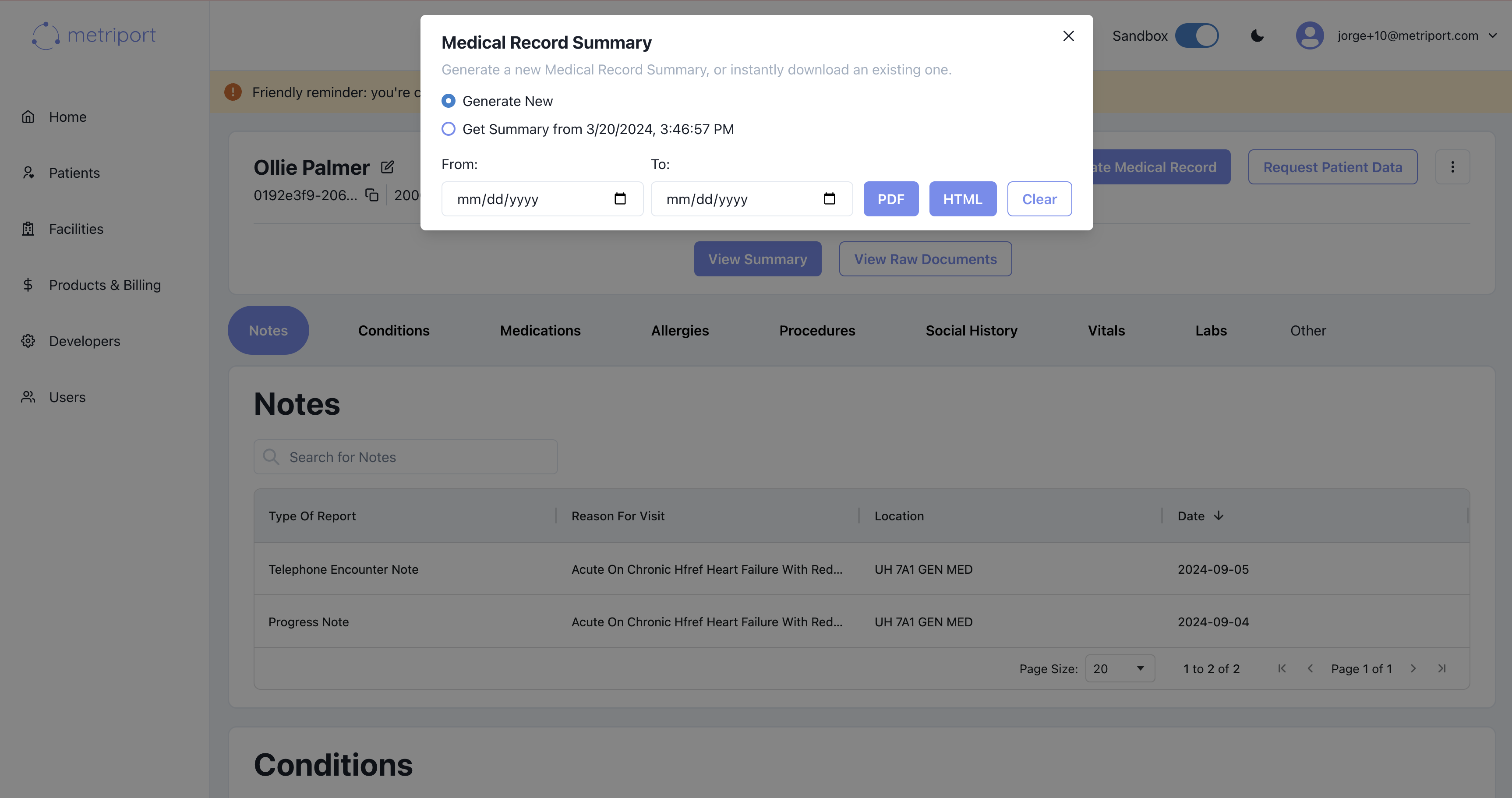
- Select whether you want to download a new or a previously-generated (if such is available) Medical Record Summary.
- (Optional) Choose the date range for the Medical Record Summary.
- Click the button with the desired format to initiate the download.