> ## Documentation Index
> Fetch the complete documentation index at: https://docs.metriport.com/llms.txt
> Use this file to discover all available pages before exploring further.
# Opting Out of Networks
> Guide patients through opting out or into data‑sharing networks
## What does opting-in/out mean?
Opting refers to a patient’s choice about whether their medical data is included in Metriport’s network queries
and shared with connected systems—opting in enables data retrieval and consolidation,
while opting out stops any new data exchanges until the patient opts back in.
## Opt‑Out / Opt‑In a patient via Dashboard
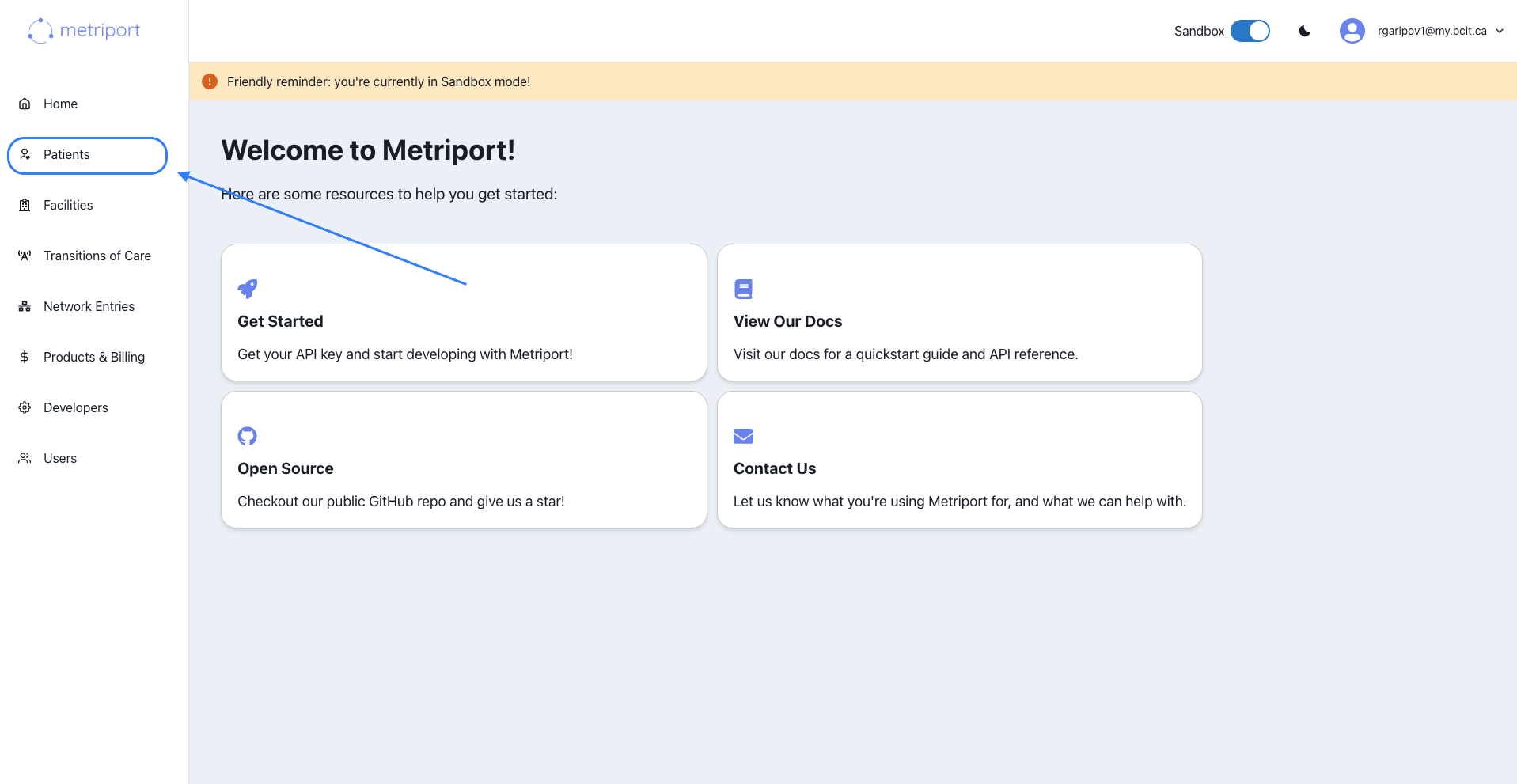
1. **Go to Dashboard → Patients**
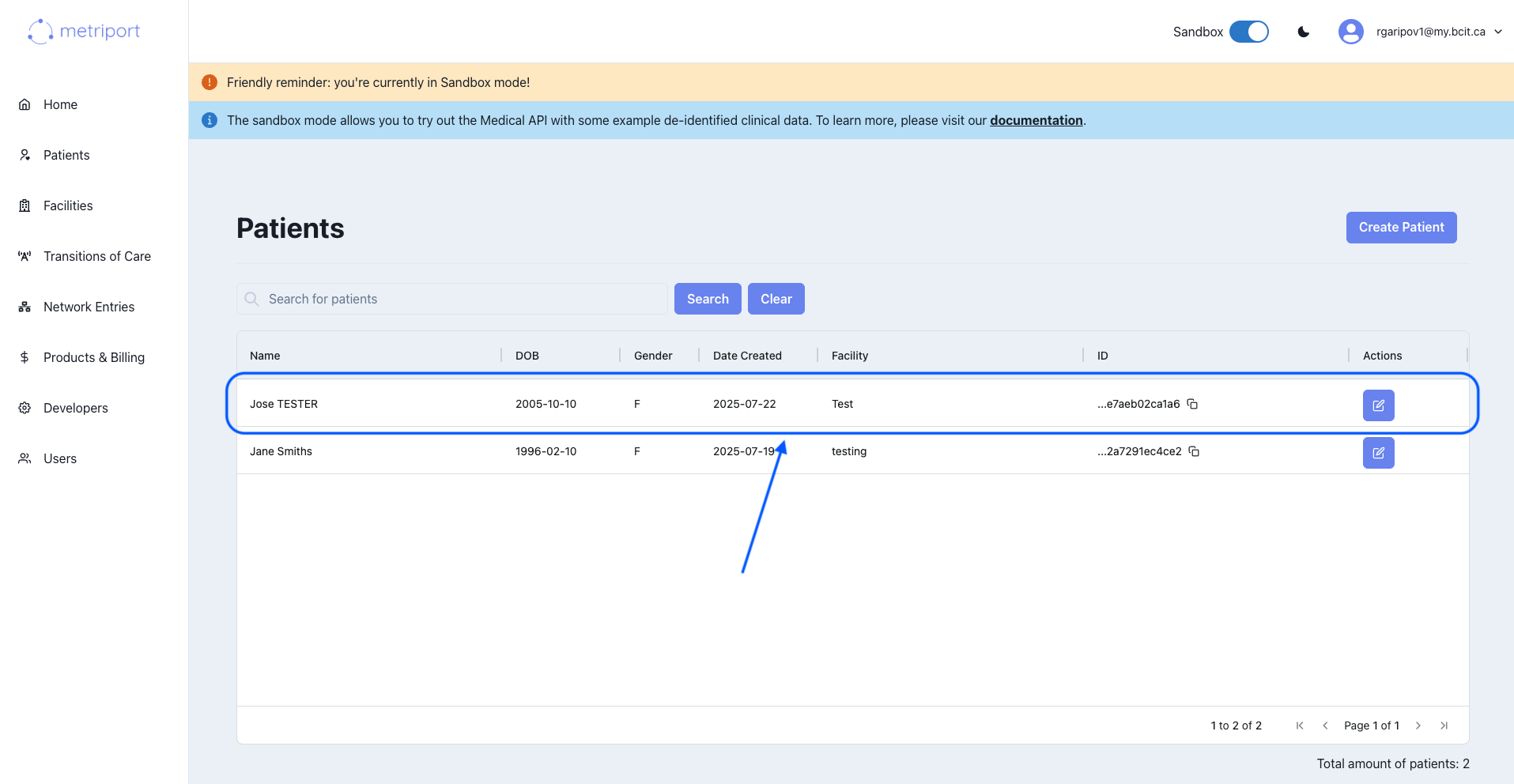
 2. **Click on a patient** from the list:
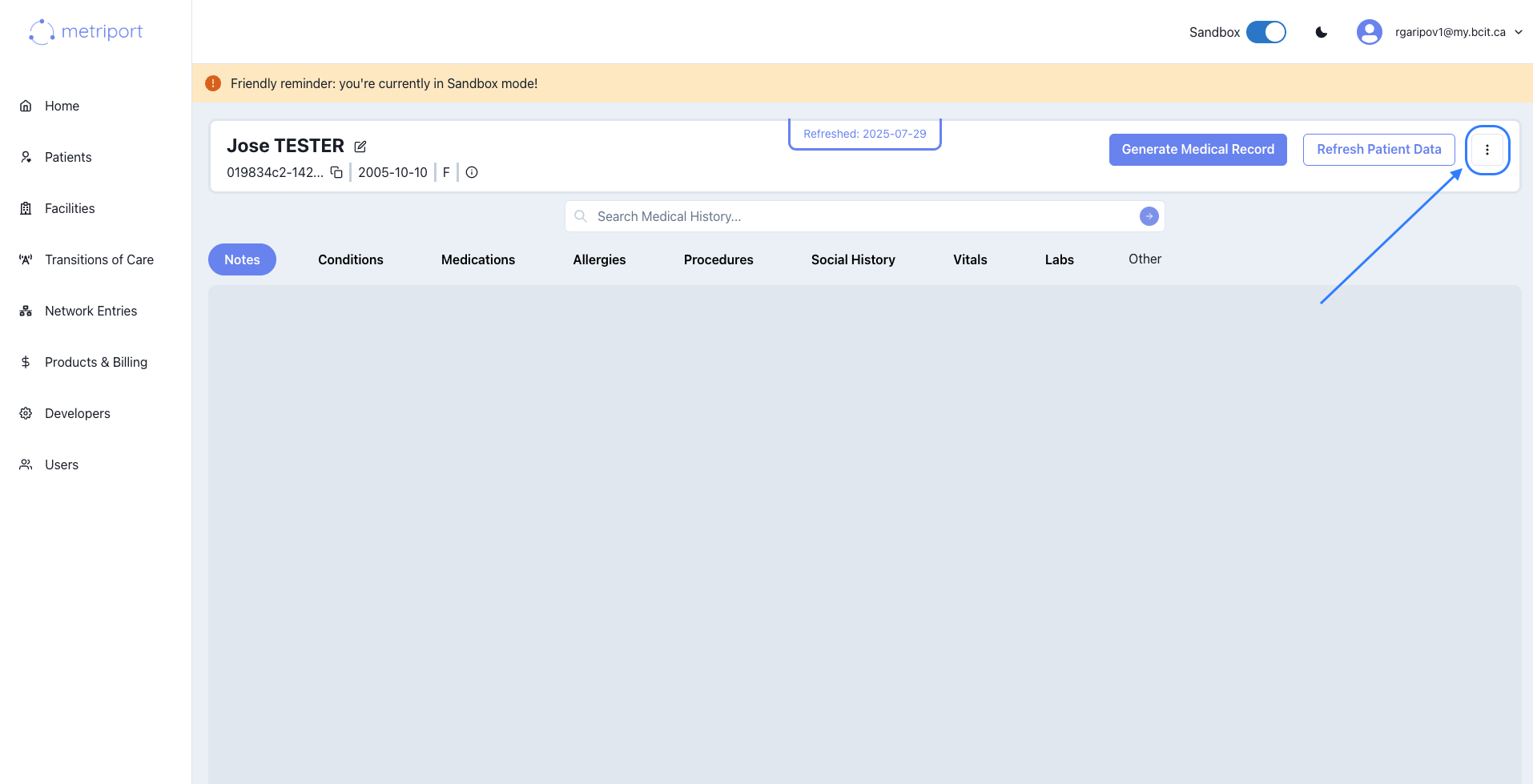
 3. **Open the actions menu** (⋯) on the far top right of the patient details page.
 4. Choose **Opt Out of Networks** or **Opt In to Networks** depending on your intent:
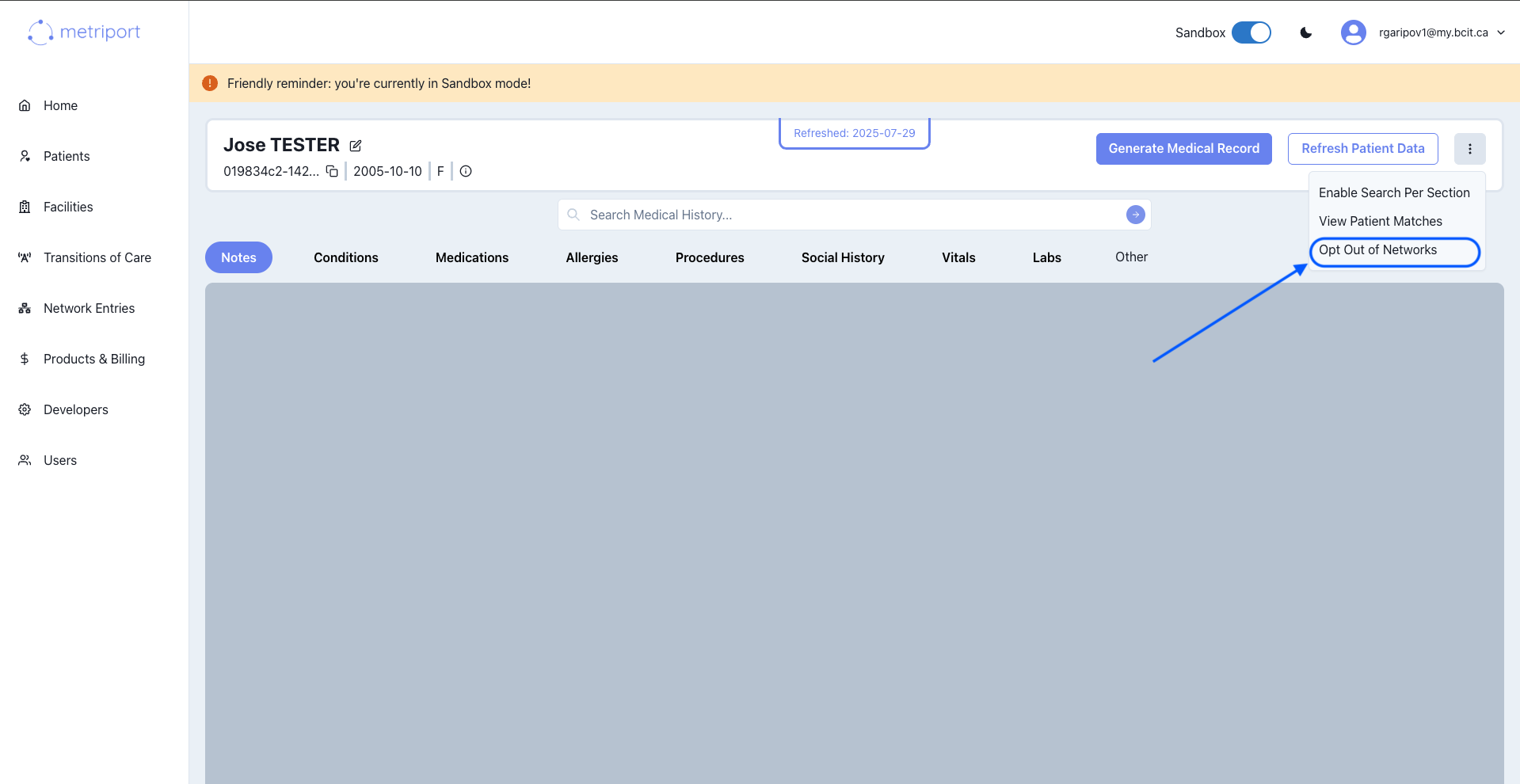 If you opt a patient out, they will no longer participate in any ongoing network queries or data sharing until you opt them back in.
## Opt‑Out via API
Update a patient’s network opt‑out status programmatically. For full details, see the [HIE Opt‑Out API reference](/medical-api/api-reference/patient/hie-opt-out).
If you opt a patient out, they will no longer participate in any ongoing network queries or data sharing until you opt them back in.
## Opt‑Out via API
Update a patient’s network opt‑out status programmatically. For full details, see the [HIE Opt‑Out API reference](/medical-api/api-reference/patient/hie-opt-out).